Setting Up a Buyer's Agent Profile in Showami
Let's set up your Buyer's Agent profile — it only takes a minute.
A win-win-win for agents and buyers
We're super excited that you've signed up to have your buyers shown properties with Showami.com! You're joining a growing network of agents who get help showing buyers homes when needed. Showami facilitates what we like to call a "win-win-win" situation: you control your schedule, your client gets to see the home, and the Showing Agent gets paid for showing the home.
Ready to start leveraging Showami in your real estate business?
Create your profile
- 1
-
2
Step 2
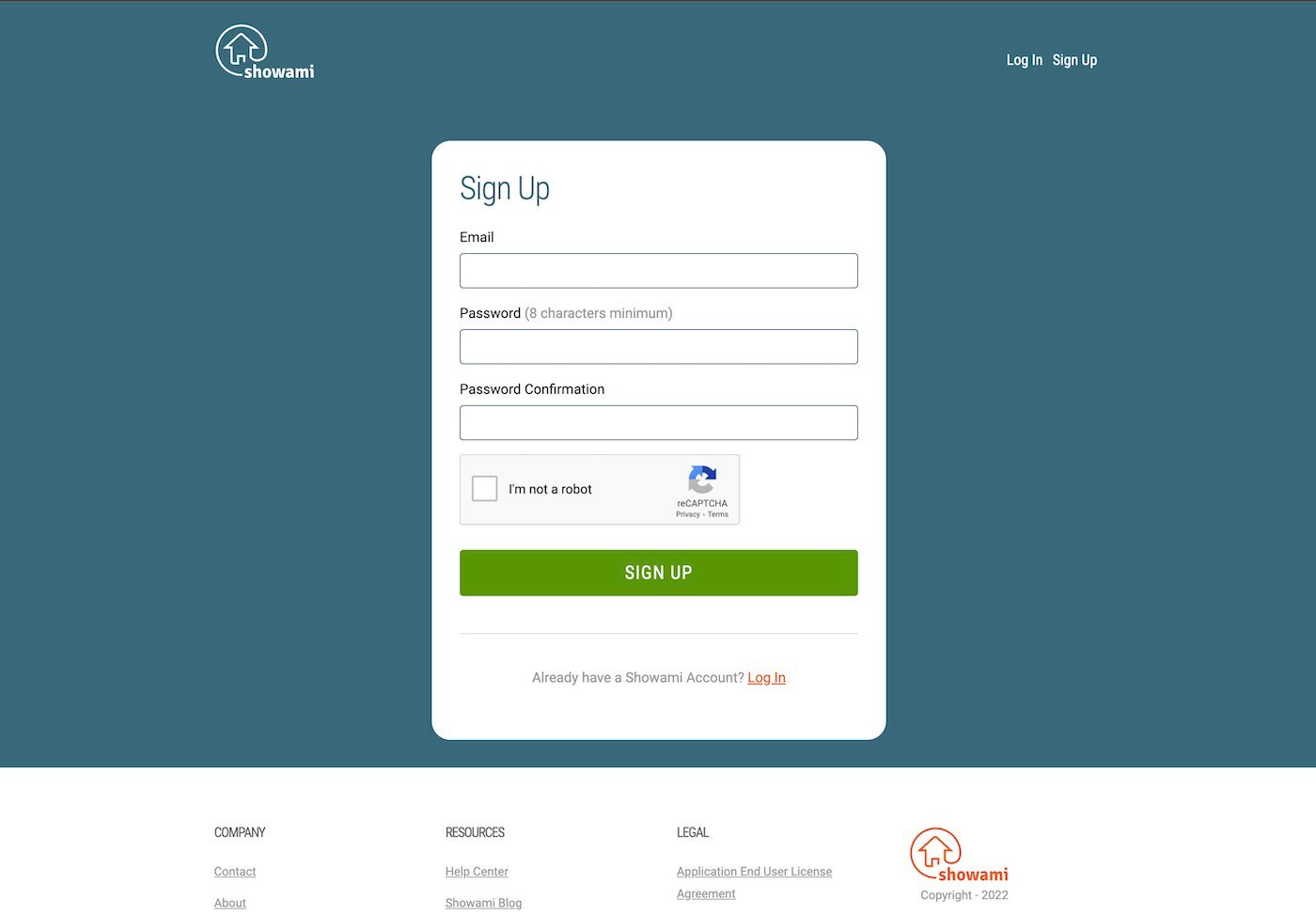
You will get a confirmation email immediately with a link that has to be clicked in order to create your profile. (If you don't get the email within 2 minutes, check your email spam folder.)
-
3
Step 3
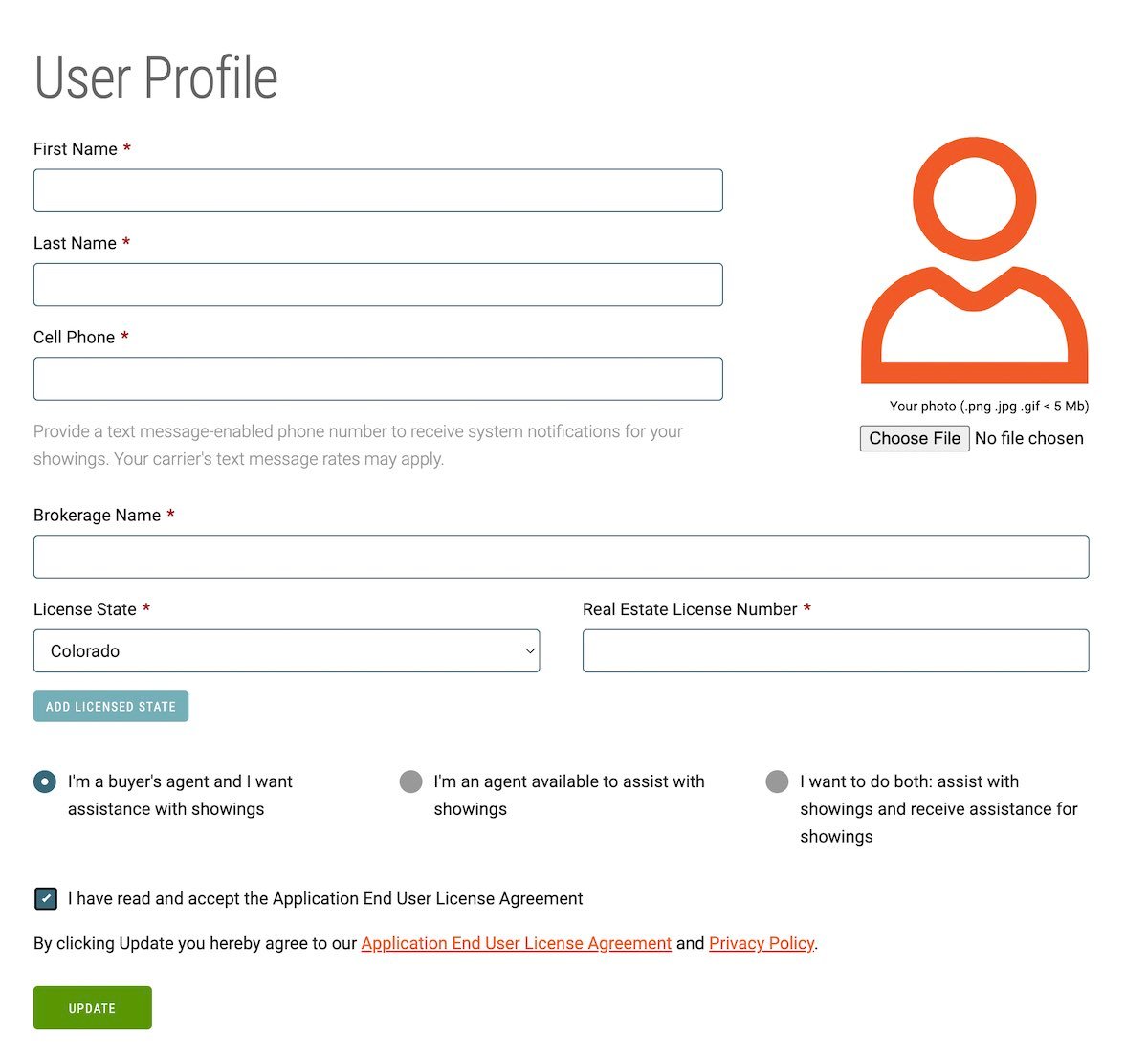
Fill out your profile (your cellphone number is required for text notifications on showings). We'd also love to see a picture of your smiling face! Enter your company name, real estate license number, and the state you are licensed in. We will be searching the State licensing website to verify that you are an active, licensed agent.
Note: Agents who want help with having homes shown but do not want to show homes for others would check the box on the left (I'm a Buyer's Agent and I want assistance with showings)
-
4
Step 4
Check the box accepting the Application End User License Agreement. Click "Update" to save your profile information and accept our license agreement and privacy policy.
-
Payment Information
-
5
Step 5
You're almost done! Now you just need to enter your payment information in order to start scheduling showings. Click on the "Payment" tab and fill out the required information.
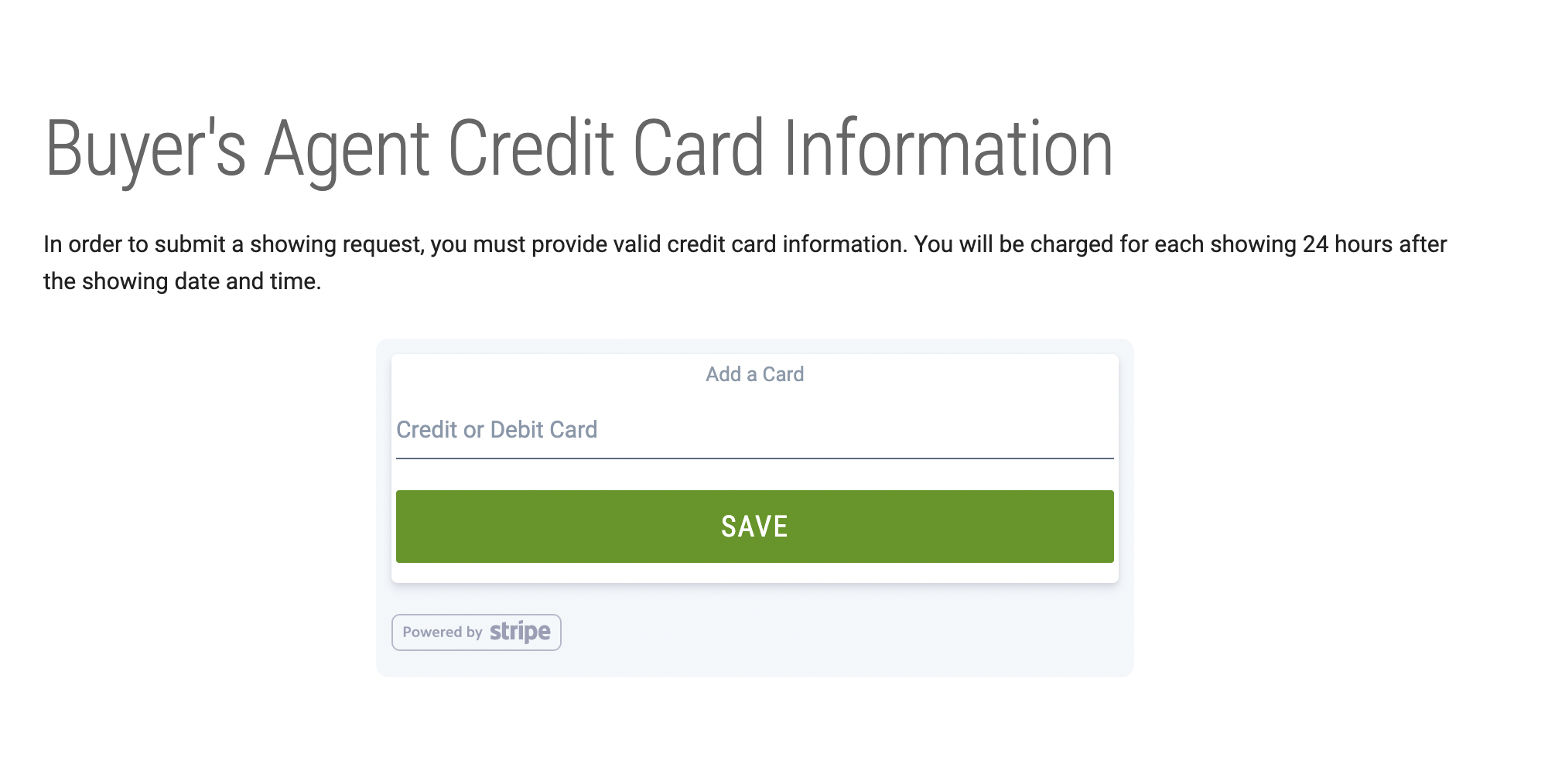
Note: Showami doesn't store any credit card information. We rely on Stripe payment services to keep your information safe and secure.
Congratulations!
Congratulations on setting up your Buyer Agent profile! You're all set to start getting your buyers access to homes using Showami.
Remember: Good communication with both the buyer and the Showing Agent is needed to make this a good experience for everyone. There is a messaging system within the dashboard for communicating with the Showing Agent.
- Let the buyer know that you will not be at the showing and give them the name of the agent who is showing the house. Make sure that the buyer knows the date, time and address of the first showing to meet the Showing Agent at.
- Let the Showing Agent know a little about the buyers. i.e. Have you met your buyer face to face before? Are there any special needs or requests? Always consider the safety of the Showing Agent and communicate any concerns you have with them.